Log time the way the work happened
Log each task to its client, workstream and deliverable as you go, and watch the week and the month take shape.
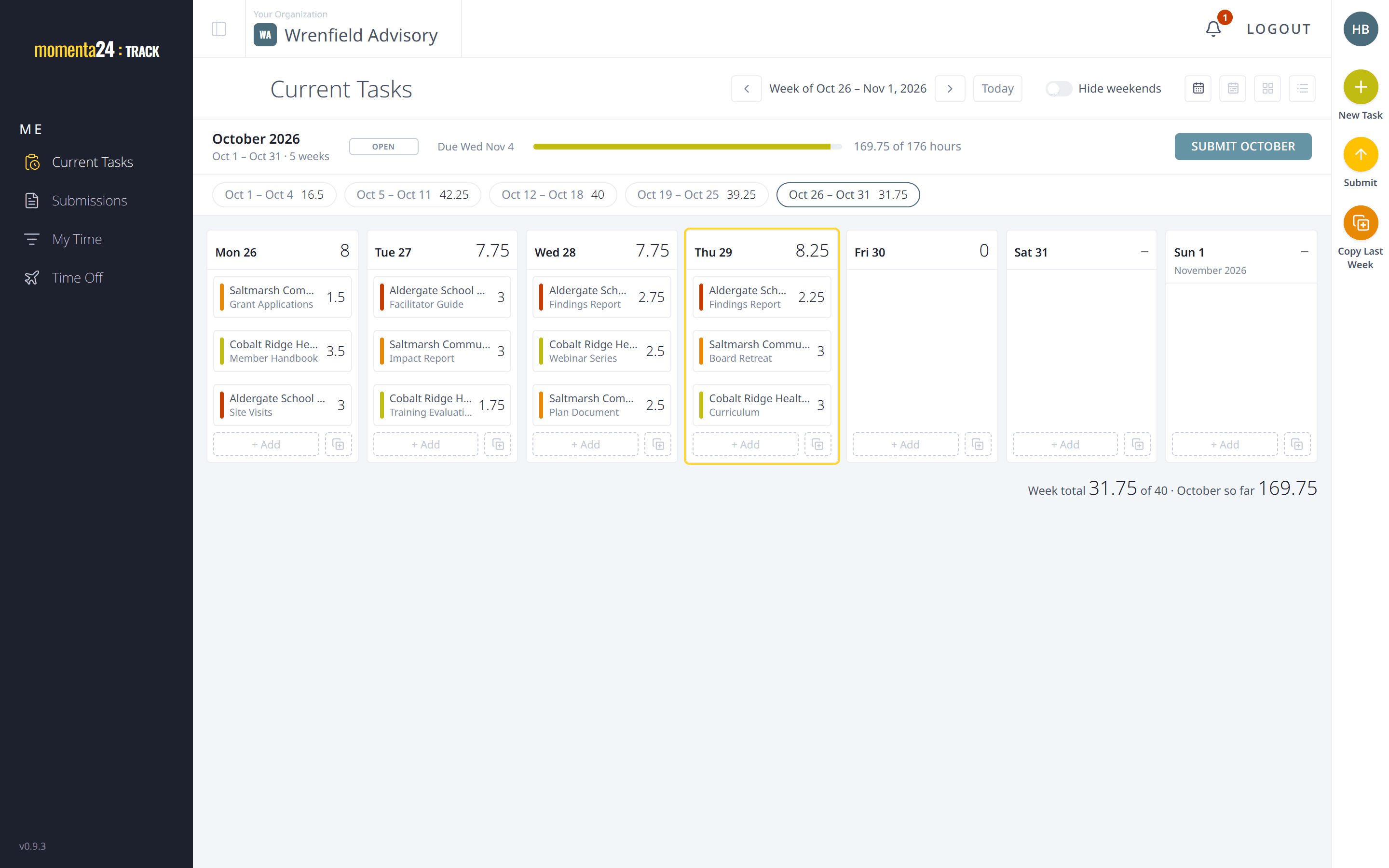
A week you can read at a glance
The week view shows each day's tasks and hours together, so you can see at once what's logged and what's missing.
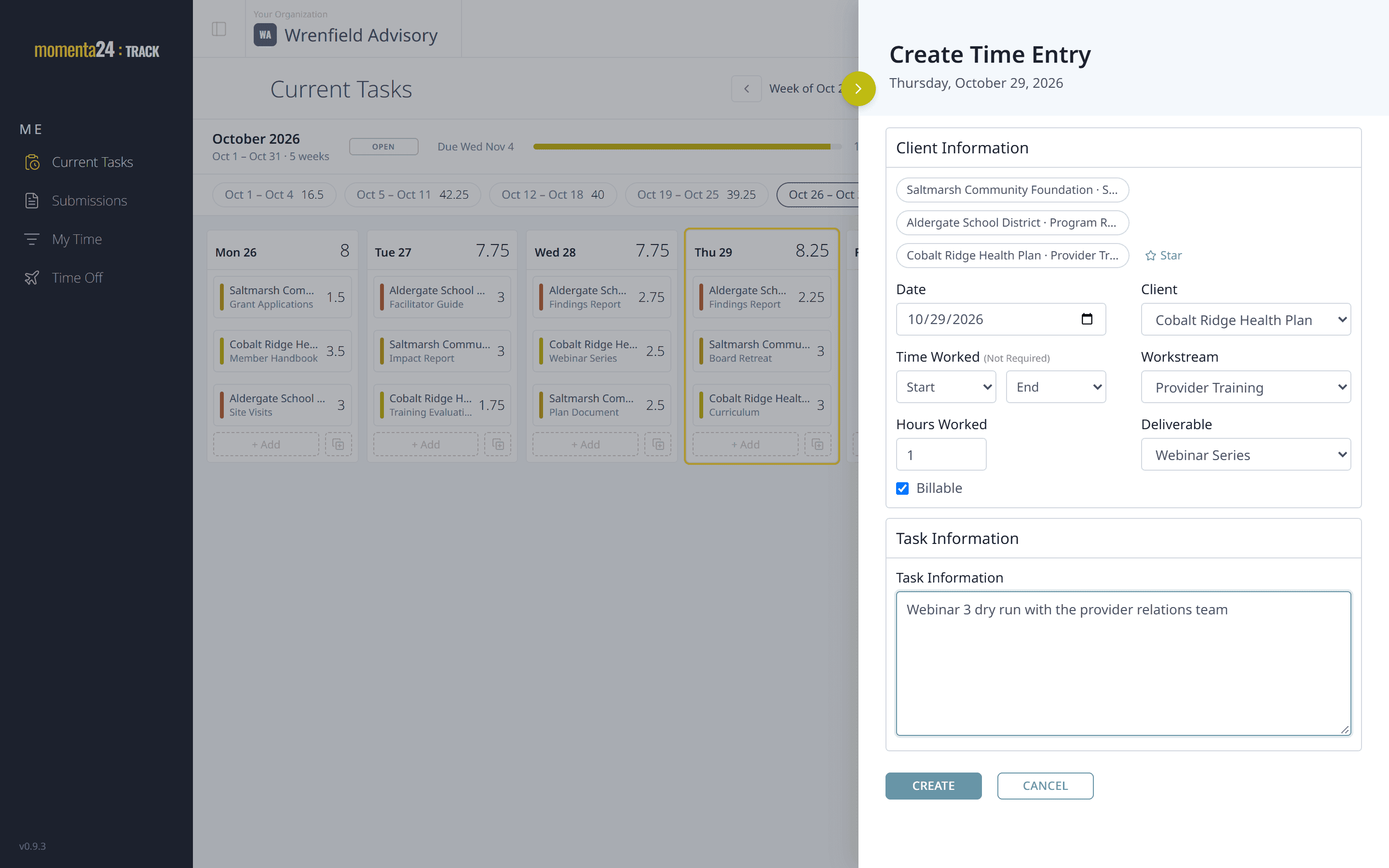
Every task on its client, workstream and deliverable
Choose a client, then a workstream and a deliverable, and type what you did. Start and end times come from a list in quarter-hour steps.
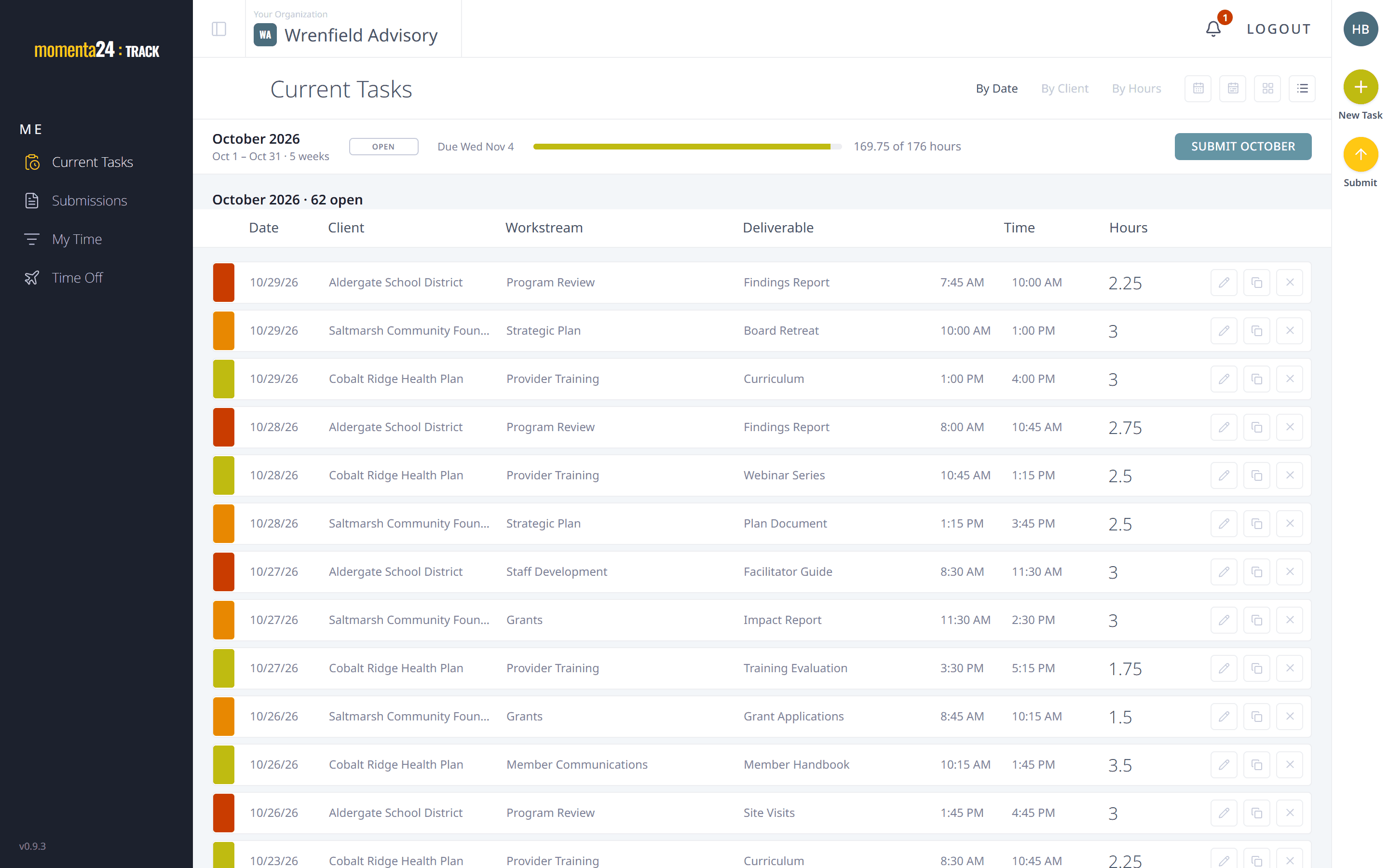
Cards or a list, your choice
See your tasks as cards or as a plain list. The app remembers which one you prefer.
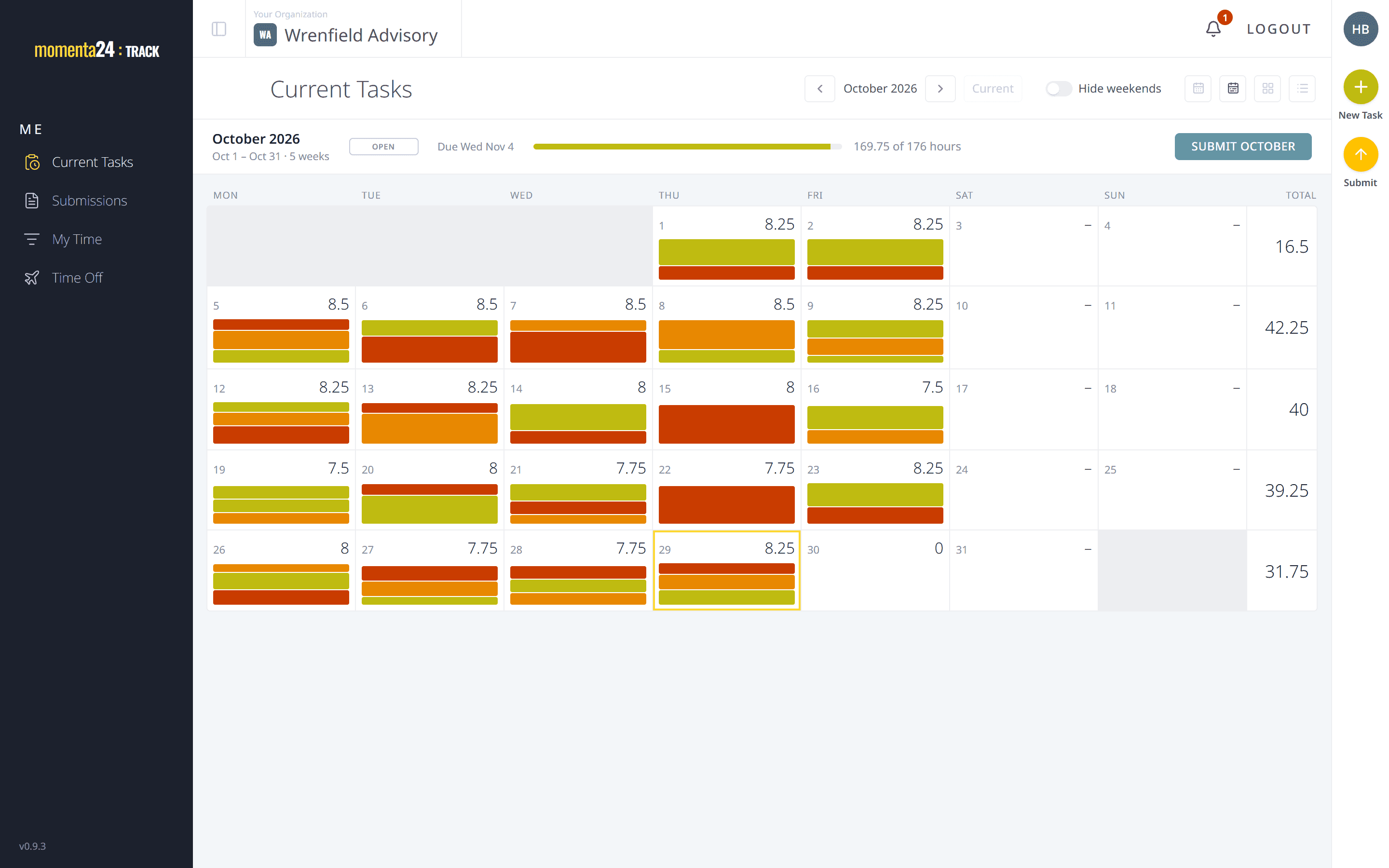
The whole month at a glance
The period view lays out the month's time on one read-only screen, so you can check it before you submit.
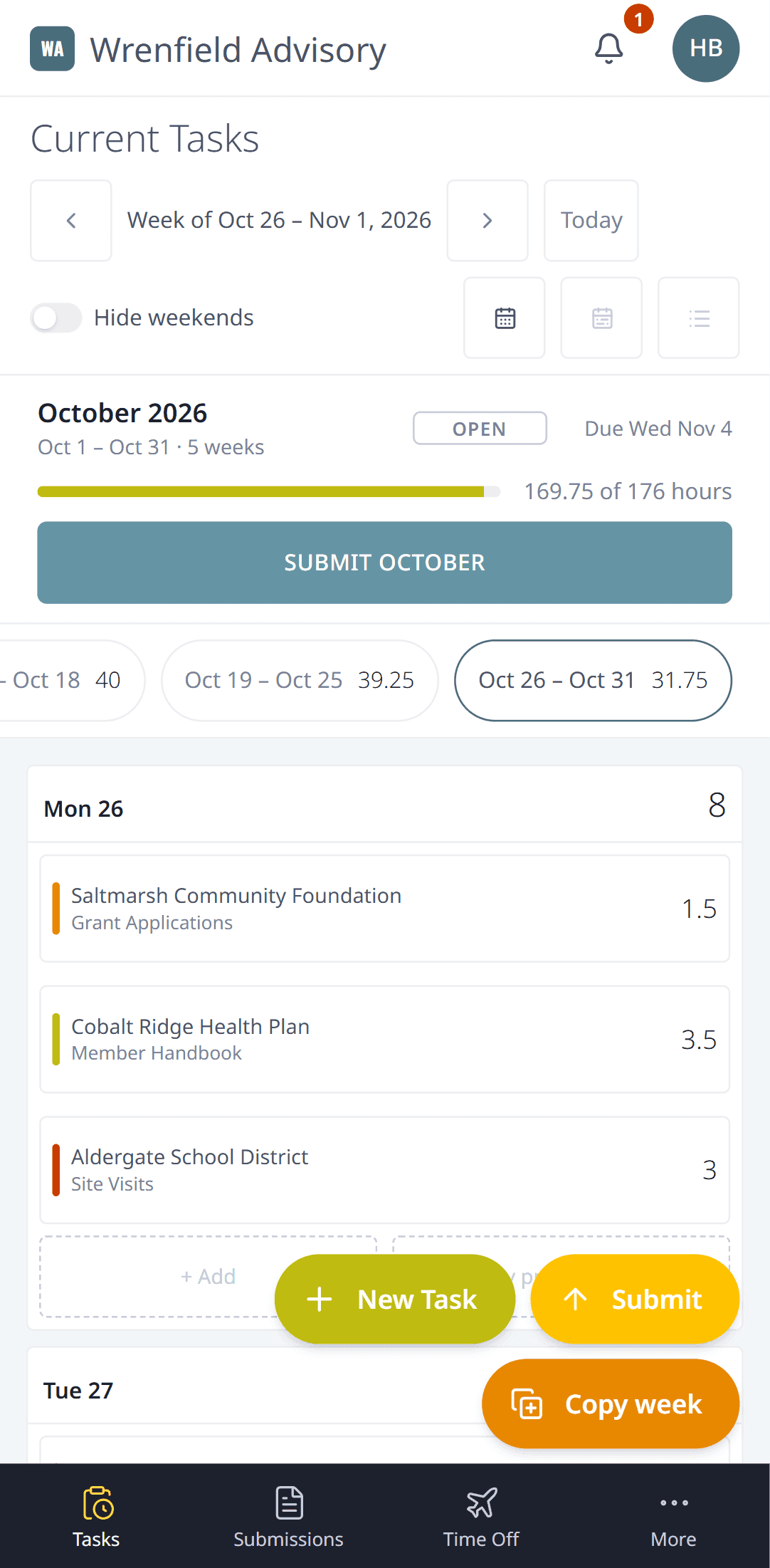
From your phone, too
The same week and the same tasks, in your phone's browser.